- The 30-Minute Agenda
- The routine: 6 moves that get results
- A simple Monthly Money Reset template
- Common mistakes (and quick fixes)
- How to handle irregular expenses without building a complicated budget
- If you do money together: a ten minute “money meeting”
- Monthly, quarterly, yearly: what to review when
- A quick note on credit reports (U.S.) and how to do it safely
- FAQ
TL;DR
- Do this at least once a month (same day/time) so money surprises don’t sneak up on you.
- Start with a turbo scan of your fast cash, then watch for fees, repeats, & missed subscriptions.
- Change 1-3 things for the month (don’t rebuild your whole budget).
- Automate one thing every reset: a bill, a transfer, or a reminder.
- Keep a quick “money note” so next month’s reset is faster than this month’s.
A Monthly Money Reset is a closet-cleaning style pocket check-in that helps you see what’s on the way, catch any spending drift early, and make one or two changes—rather than cause a panic-backed-down-the-closet-system-spill. It’s like a quick brush in, small maintenance, toothy wipe down for your head finance diplomas rather than full-scale cleanup binges that cost way more than just time and toothpaste.
WHAT A “MONTHLY MONEY RESET” IS (AND ISN’T)
It’s designed for “real life,” so there’s no pressure of perfection or a separate money management app. Just carve out and commit to a moment of (1) See what happened, (2) Decide what matters next, and (3) put one tiny system in place so you don’t have to rely on willpower down the line.
- It’s: a tidy review + intentional decisions + automation.
- It’s not: rebuilding your whole budget in a whole new way every month.
- It’s not: tracking every penny every day (unless that works for you).
- It is: flexible—works whether you’re paid weekly, biweekly, or monthly.
- It is: a habit that reduces stress because you see problems early.
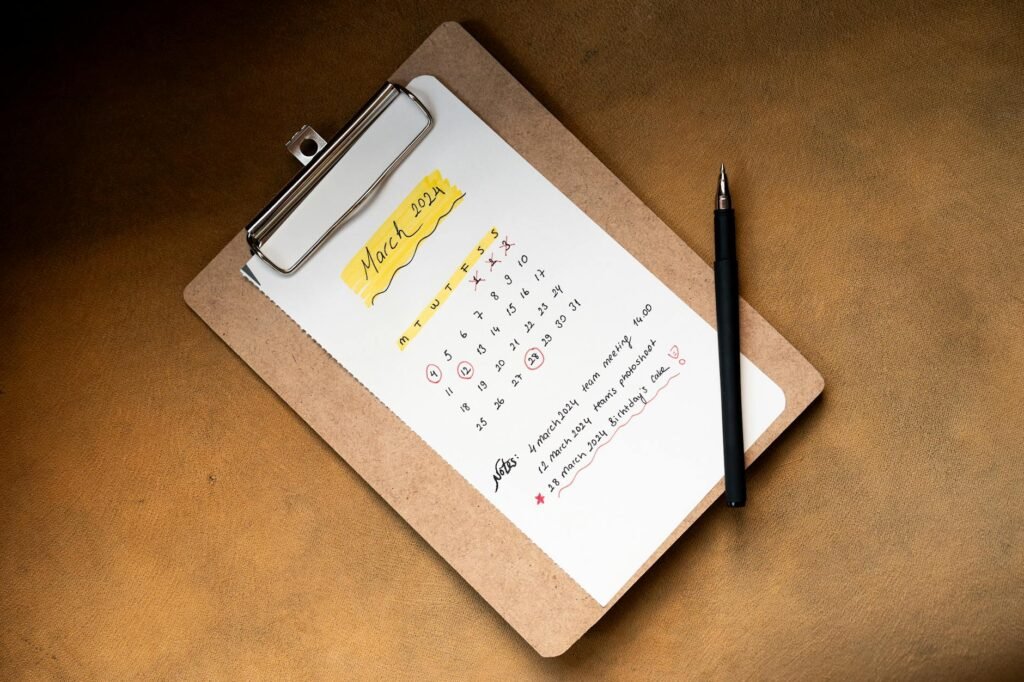
Photo by Ahmed on Pexels. Source. Pexels License (free to use)
Before you start: the 2-minute setup
- Your checking + savings balances (open your bank app/site).
- Your credit card balance(s) and last month’s transactions.
- A list of bills due before your next paycheck (or before month-end if you’re paid monthly).
- A notes app, notebook, or a simple spreadsheet tab called “Money Reset Notes.”
- Your calendar (so you can add reminders right away).
The 30-minute agenda (minute-by-minute)
| Time | What you do | What you’re trying to learn/decide |
|---|---|---|
| 0–5 minutes | Cash snapshot + bills due | What’s your real “safe-to-spend” until the next paycheck? |
| 5–12 minutes | Scan transactions | What surprised you (fees, subscriptions, spikes, duplicates)? |
| 12–19 minutes | Adjust this month’s plan | What 1–3 changes will make the biggest difference? |
| 19–24 minutes | Pay + automate | What can you put on autopilot so it doesn’t rely on memory? |
| 24–28 minutes | One small win (debt or savings) | What single move improves your trajectory this month? |
| 28–30 minutes | Money note + reminders | What do you want “future you” to remember? |
The routine: 6 moves that get results
1) Cash snapshot + bills due (0–5 minutes)
- Land on today’s checking balance.
- Make sure to list every bill due before your next paycheck (or in the next 14 days if your income varies).
- Subtract those bills from your checking balance to get an idea of your “safe-to-spend” number.
- If it’s negative, choose one action to take immediately: move money from savings, pause anything non-essential, call a biller before you miss a due date. Pending transactions (the things on their way to your account) and scheduled payments (like autopay) matter! A “safe-to-spend” number doesn’t help if you’re spending more than you think because it doesn’t account for what’s about to hit your account.
2) Scan transactions for surprises (5–12 minutes)
- Open last month’s transactions for checking + your main card (don’t open every account you have—start with your largest).
- Seek out and circle (actually, literally circle, or do this with a mental highlighter) the “Big 3”: your three largest purchases that aren’t rent or mortgage.
- Any leaks here? Subscriptions you forgot about last month, late fees, overdraft fees or account maintenance fees, duplicate charges, delivery/tip creep?
- Fix just one surprise today (cancel, negotiate, switch accounts, or set an alert).

Photo by SHVETS production on Pexels. Source. Pexels License (free to use)
3) Adjust this month’s plan (12–19 minutes)
This is where most budgets fail: people try to “fix everything” at once. Instead, make 1–3 targeted adjustments that you’ll actually follow. A budget is simply an organized plan for what you earn, spend, and save. (fdic.gov)
- Choose a focus category for the month (groceries, dining out, transportation, subscriptions, debt, etc.).
- Set one clear rule you can follow (dining out once/week, no delivery apps, gas only at the lowest-price station near work, etc.).
- Decide where the newly-freed-up money is going (to a specific debt, toward an emergency fund, to a bigger upcoming bill, etc.).
- Write the change-maker-for-the-month in one sentence in your Money Reset Notes (see the example below!).
Example: “Groceries were $120 over last month, so I’m doing two planned store trips/week and moving $60 from dining out into groceries.” The goal isn’t perfection, it’s control.
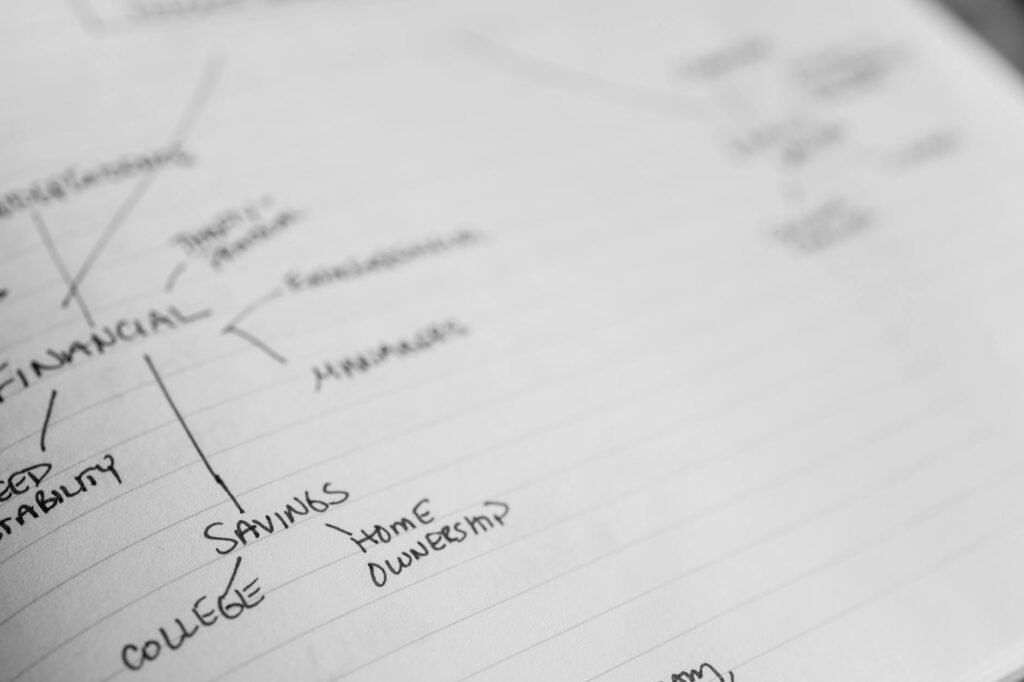
Photo by Jessica Lewis 🦋 thepaintedsquare on Pexels. Source. Pexels License (free to use)
4) Pay + automate one thing (19–24 minutes)
- Pay any bill that’s due soon, or schedule the payment for the due date.
- Set one small automation: automatic transfer to savings, autopay for the minimum on a credit card, or a calendar reminder 3 days before a due date.
- If you’re paid direct deposit, try to align your bill due dates right after payday (where possible) so cash flow is easier to track.
5) One small win: debt or savings (24–28 minutes)
- If you have high-interest debt, make one extra payment—even $10–$25—toward the balance you’re focused on paying off.
- Take the amount of money you free up by not making a payment while you’re staying debt-free, and transfer it into savings. If you know you have an upcoming big expense, put the money in a sinking fund for that expense instead.
- Write down what you did so you can see the momentum next month.
Change needs to be a system, not a heroic one-time effort. Focus on one small win every month and watch the cumulative effect your new habit has.
6) Money note + reminders (28–30 minutes)
- Write one sentence: “This month I’m working on _______ by doing _______.”
- Add your next Money Reset date to your calendar (same time next month).
- Add one reminder for the thing you’re most likely to forget (a bill, a transfer, a renewal).

Photo by Cup of Couple on Pexels. Source. Pexels License (free to use)
A simple Monthly Money Reset template (copy/paste)
Use this as your one-page “scoreboard.” Keep each month’s entry so you can spot trends.
| Prompt | Your answer (fill-in) |
|---|---|
| Checking balance today: | _____ |
| Bills due before next paycheck/date: | _____ |
| Estimated safe-to-spend until then: | _____ |
| One surprise expense/fee I noticed: | _____ |
| One change I’m making this month: | _____ |
| One automation I set (or updated): | _____ |
| One debt/savings win I completed: | _____ |
| Next reset date/time: | _____ |
Common mistakes (and quick fixes)
- Mistake: You only check your account when you feel anxious.
Fix: check on a schedule (monthly), not as a mood. - Mistake: You try to track everything.
Fix: track the categories that actually move the needle (housing, food, transportation, debt, subscriptions). - Mistake: You ignore irregular expenses.
Fix: create a “sinking fund” line item (even $25/month) for car repairs, gifts, annual renewals, etc. - Mistake: You automate bills but never verify balances.
Fix: set reminders 2–3 days before big autopays to confirm funds are there. - Mistake: You don’t record decisions.
Fix: write a one-sentence money note every month so you don’t restart from zero.
How to handle irregular expenses without building a complicated budget
Irregular expenses are the reason so many “good” budgets fall apart. The fix is to stop treating predictable-but-infrequent costs like surprises.
- Write down 5 irregular costs you know are coming (car registration, holidays, annual subscriptions, back-to-school, medical copays, etc).
- Put a rough estimate next to each for the full year.
- Divide that by 12—that’s how much you need to save monthly to cover this gap.
- If your bank supports it, set an auto-transfer there. If not, just label that amount in your notes.
- And during each Money Reset you can check to see if that’s still accurate, and change if life changes.
If you do money together: a ten minute “money meeting”
- Begin with the numbers: “This is what’s in checking. These are the bills coming due before payday.”
- Positive: “We paid off/covered _______.”
- Not-so-positive: “The surprise was _______.” (No blame, just numbers).
- Decision: “This month we’re going to _______.”
- Automation: “We’ll put _______ onto autopay / set a reminder on our phones.”
Monthly, quarterly, yearly: what to review when
The monthly reset will only take a handful of minutes—and more time could bog you down. “Put the ‘big admin’ tasks on a less frequent schedule.”
| Frequency | What to review | Why it matters |
|---|---|---|
| Monthly | Cash snapshot, bills due, transaction scan, 1–3 plan tweaks, 1 automation | Prevents overdrafts, late fees, and “where did my money go?” stress |
| Quarterly | Credit report check and dispute errors if needed | Helps you catch identity theft or reporting mistakes early (in the U.S., you can access free reports through the official channel). (consumer.ftc.gov) |
| As needed (life changes) | Tax withholding check (new job, raise, side income, marriage, new child, etc.) | Avoids unpleasant tax-time surprises; the IRS provides a Tax Withholding Estimator tool and guidance on when to check. (irs.gov) |
A quick note on credit reports (U.S.) and how to do it safely
If you decide to add a credit check to your routine, be picky about where you request reports. In the U.S., the FTC says that just one website has permission to “fill orders” for the free reports you’re entitled to by law: AnnualCreditReport.com. FTC warns about impostor sites and scam messages that claim to be part of credit reporting (consumer.ftc.gov).
Want a printable tracker? Use trusted, free tools
If you’d rather use paper formats or structured worksheets, check out the CFPB’s “Your Money, Your Goals” toolkit, which has many practical, free tools to download, including a spending tracker and a bill calendar. (consumerfinance.gov)
FAQ
When should I do my Monthly Money Reset?
Choose a consistent trigger for your monthly reset—a weekend early in the month, the day after payday, the day after your rent/mortgage payment clears. When you’re consistent about repeating resets, it’s better than finding the “perfect” day.
Do I need to use a budget app in order for this to work?
No. You can go through an entire reset process with just your bank/credit card transaction lists and a notes app or paper. An app can help you put the habit loops in place, but it’s the habit you learn that leads to the control over your finances.
What if I’m living paycheck to paycheck?
That’s even more incentive to do a reset! Stay focused on things like upcoming bills, your accurate “safe to spend” number and debt to avoid the extra fees. Just focus on cash flow, because if you know that your car needs repairs next month and you’ve allocated money from savings, you don’t need to stress about that here as well. You just need to focus on what you’re spending, and what cash flow is going out and coming in. If you’re going to be short next month, contact your billers early—the options will still be available to you before it is past the due date.
How can I make this work with irregular income?
Use a shorter time horizon (next 7 to 14 days) for your bills-due list, keep a slightly larger buffer in checking if possible, and then rely more on reminders than autopay for the big bills. Frankly, most people with irregular income should give up autopay 100%—we’re constantly chasing things down.
Should I check my credit report every month?
You don’t need to—a cadence that makes sense for lots of families is to check quarterly—and especially if they’re considering a major loan or have concerns about credit fraud.
What’s one thing I should automate right now?
Start with the thing that will prevent the most damage to your credit score—either minimum debt payments (to avoid late fees) or a small automatic transfer to a buffer for you and emergency fund (depending on your existing habits).
<!– {“seo”:{“meta_title”:”Monthly Money Reset: A 30-Minute Routine to Take Back Control”,”meta_description”:”A practical 30-minute Monthly Money Reset you can do once a month: check cash, catch surprises, update your plan, automate bills, and reduce stress fast.”,”focus_keyword”:”monthly money reset”,”secondary_keywords”:[“monthly budget review”,”30-minute money routine”,”monthly money check-in”,”personal finance routine”,”budget check-in”,”doc 9> = \u0081{\”blocks\”: [{\”type\”: \”tldr\”, \”items\”: [\”Schedule “]},”internal_link_suggestions”:[“How to build an emergency fund on a tight budget”,”Zero-based budgeting vs. 50/30/20: which is better for you?”,”Debt snowball vs. debt avalanche: how to choose”,”How to cancel subscriptions and recurring charges”,”How to set up a sinking fund for irregular expenses”],”image_suggestions”:[{“idea”:”A clean desk setup with a notebook, pen, and a monthly calendar—suggesting a quick monthly planning routine.”,”search_query”:”organized desk notebook pen monthly calendar flat lay neutral lighting”,”image_url”:”https://brightbudgetbrief.com/wp-content/uploads/2026/05/pexels-19915938-notebook-and-calendar-on-a-desk-for-a-monthly-money-reset-1024×682.jpg”,”wp_media_id”:173,”source_url”:”https://www.pexels.com/photo/notepad-with-a-calendar-page-19915938/”,”original_image_url”:”https://images.pexels.com/photos/19915938/pexels-photo-19915938.jpeg?auto=compress&cs=tinysrgb&dpr=2&h=650&w=940″,”backup_file”:”C:\\Users\\usador\\postador\\image_backups\\pexels-19915938-notebook-and-calendar-on-a-desk-for-a-monthly-money-reset.jpg”,”alt”:”Notebook and calendar on a desk for a monthly money reset”,”caption”:”A simple monthly check-in starts with a plan you can actually repeat.”,”credit”:”Photo by Ahmed on Pexels”,”license”:”Pexels License (free to use)”,”placement_hint”:”Near the introduction, before the minute-by-minute agenda table.”,”provider”:”pexels”,”provider_id”:”19915938″,”width”:6945,”height”:4630},{“idea”:”Close-up of a person reviewing a bank statement or bills (no visible personal data), emphasizing a quick transaction scan.”,”search_query”:”hands reviewing paper bills bank statement at table no personal information”,”image_url”:”https://brightbudgetbrief.com/wp-content/uploads/2026/05/pexels-7545330-hands-reviewing-bills-and-statements-for-a-monthly-money-reset-1024×682.jpg”,”wp_media_id”:174,”source_url”:”https://www.pexels.com/photo/elderly-woman-reading-a-document-7545330/”,”original_image_url”:”https://images.pexels.com/photos/7545330/pexels-photo-7545330.jpeg?auto=compress&cs=tinysrgb&dpr=2&h=650&w=940″,”backup_file”:”C:\\Users\\usador\\postador\\image_backups\\pexels-7545330-hands-reviewing-bills-and-statements-for-a-monthly-money-reset.jpg”,”alt”:”Hands reviewing bills and statements for a monthly money reset”,”caption”:”Scanning transactions for fees and forgotten subscriptions is one of the highest-impact steps.”,”credit”:”Photo by SHVETS production on Pexels”,”license”:”Pexels License (free to use)”,”placement_hint”:”In the “Scan transactions for surprises” section.”,”provider”:”pexels”,”provider_id”:”7545330″,”width”:6240,”height”:4160},{“idea”:”A minimal budgeting spread in a notebook with categories (groceries, gas, subscriptions) written by hand—no brand names.”,”search_query”:”handwritten budget categories notebook groceries gas subscriptions minimalist”,”image_url”:”https://brightbudgetbrief.com/wp-content/uploads/2026/05/pexels-10024577-handwritten-budget-categories-in-a-notebook-1024×682.jpg”,”wp_media_id”:175,”source_url”:”https://www.pexels.com/photo/financial-diagram-notes-10024577/”,”original_image_url”:”https://images.pexels.com/photos/10024577/pexels-photo-10024577.jpeg?auto=compress&cs=tinysrgb&dpr=2&h=650&w=940″,”backup_file”:”C:\\Users\\usador\\postador\\image_backups\\pexels-10024577-handwritten-budget-categories-in-a-notebook.jpg”,”alt”:”Handwritten budget categories in a notebook”,”caption”:”You don’t need a perfect budget—just 1–3 targeted adjustments each month.”,”credit”:”Photo by Jessica Lewis 🦋 thepaintedsquare on Pexels”,”license”:”Pexels License (free to use)”,”placement_hint”:”In the “Adjust this month’s plan” section.”,”provider”:”pexels”,”provider_id”:”10024577″,”width”:6000,”height”:4000},{“idea”:”A phone showing a calendar reminder (generic UI) next to a cup of coffee, illustrating reminders/automation.”,”search_query”:”smartphone calendar reminder on screen coffee cup morning routine realistic”,”image_url”:”https://brightbudgetbrief.com/wp-content/uploads/2026/05/pexels-7657485-calendar-reminder-on-a-phone-for-a-monthly-money-reset-1024×683.jpg”,”wp_media_id”:176,”source_url”:”https://www.pexels.com/photo/close-up-shot-of-a-person-holding-a-smartphone-while-writing-7657485/”,”original_image_url”:”https://images.pexels.com/photos/7657485/pexels-photo-7657485.jpeg?auto=compress&cs=tinysrgb&dpr=2&h=650&w=940″,”backup_file”:”C:\\Users\\usador\\postador\\image_backups\\pexels-7657485-calendar-reminder-on-a-phone-for-a-monthly-money-reset.jpg”,”alt”:”Calendar reminder on a phone for a monthly money reset”,”caption”:”Reminders and simple automations keep money tasks from relying on memory.”,”credit”:”Photo by Cup of Couple on Pexels”,”license”:”Pexels License (free to use)”,”placement_hint”:”In the “Money note + reminders” section.”,”provider”:”pexels”,”provider_id”:”7657485″,”width”:8192,”height”:5464}],”editor_checklist”:[“Confirm the article remains fully in en-US (no mixed-language phrases).”,”Double-check the time blocks add up to 30 minutes and match the steps.”,”Ensure the disclaimer remains visible and not overly alarmist.”,”Verify all factual claims tied to credit reports and withholding are supported by the cited references.”,”Scan for accidental promises (e.g., “will eliminate debt”) and soften to realistic outcomes.”,”Check formatting: no HTML, short paragraphs, clear headings, scannable lists.”,”Proofread for consistency (checking vs. savings, bills due window, terminology like “safe-to-spend”).”,”internal_link_suggestions”],”references”:[{“label”:”FTC — Free Credit Reports (Consumer Advice)”,”url”:”https://consumer.ftc.gov/articles/free-credit-reports”},{“label”:”CFPB — Your Money, Your Goals toolkit”,”url”:”https://www.consumerfinance.gov/consumer-tools/educator-tools/your-money-your-goals/toolkit/”},{“label”:”IRS — Tax Withholding Estimator (overview)”,”url”:”https://www.irs.gov/ht/individuals/tax-withholding-estimator”},{“label”:”USA.gov — How to check and change your tax withholding”,”url”:”https://www.usa.gov/check-tax-withholding”},{“label”:”FDIC — Chapter 3: Budgeting and Shopping”,”url”:”https://www.fdic.gov/consumer-resource-center/chapter-3-budgeting-and-shopping”}]}